Keep different measures distinct
Account limits explain what remains available. Local token activity explains what happened on this computer. They sit alongside each other with their sources identified, without substituting one for the other.
PERSONAL PROJECT / PRODUCT & INTERACTION
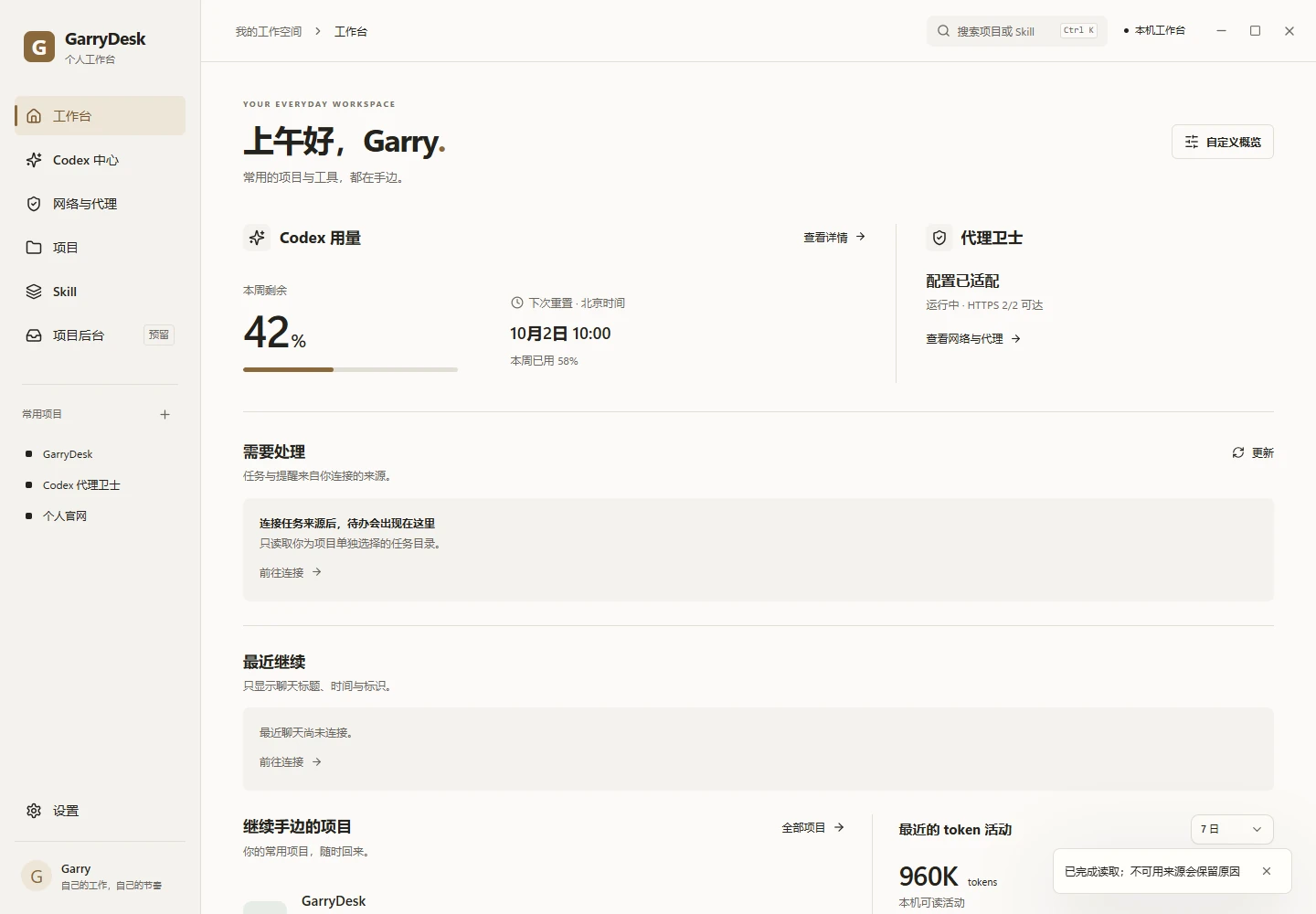
AI usage, local projects and Skills each have their own entry point. GarryDesk brings them into a personal Windows workspace, making the next step easier to find.
01 / CONTEXT
Usage limits live in one place, projects in another, while a tool’s source and purpose take another search. The starting point is to organise this information around the work in progress.
See what matters today, then choose where to go deeper. The home screen offers summaries and ways to continue; projects, usage and Skills each keep their own context.
02 / DECISIONS
Account limits explain what remains available. Local token activity explains what happened on this computer. They sit alongside each other with their sources identified, without substituting one for the other.
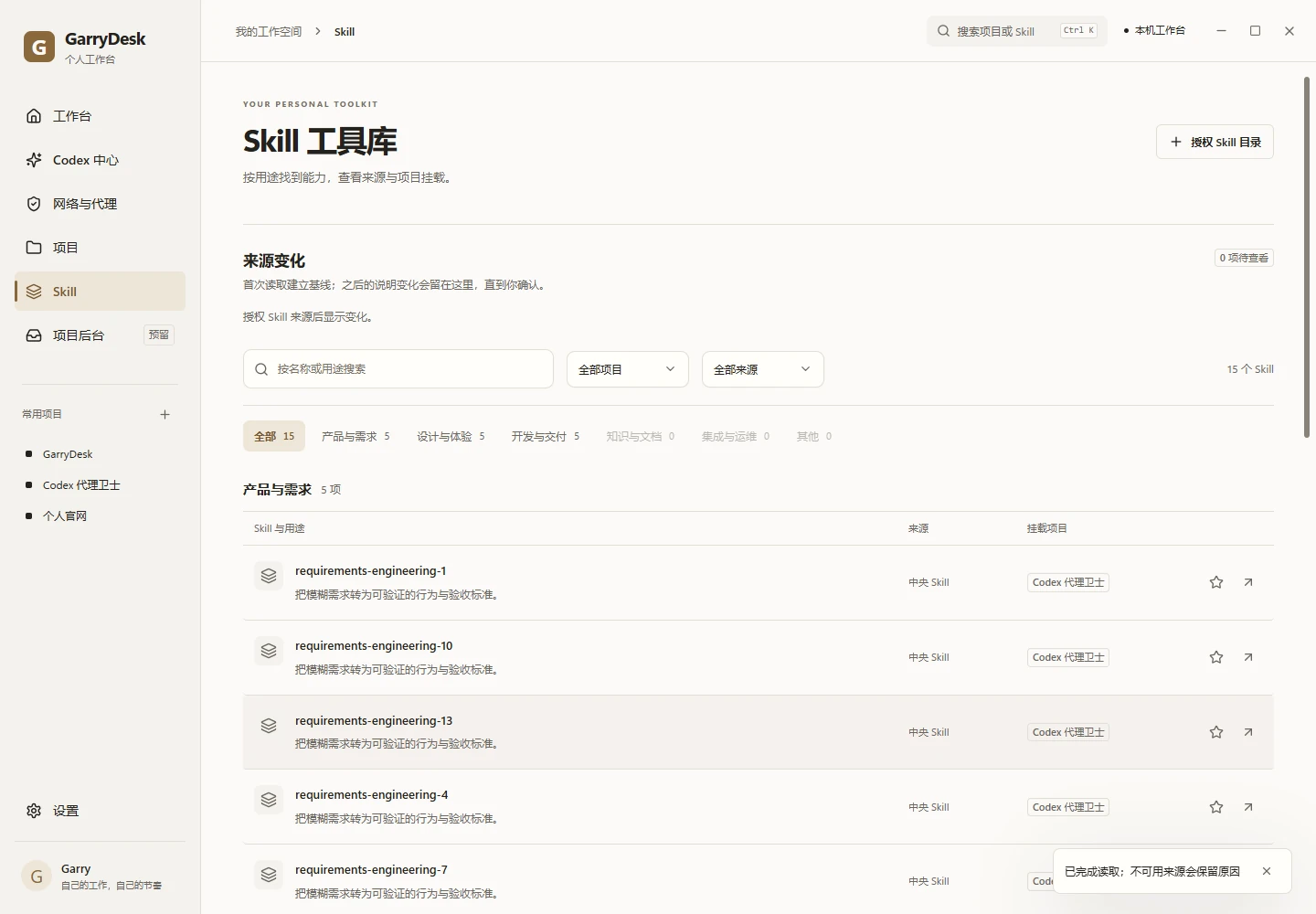
Search, pins and favourites organise projects. Skills are grouped by purpose, source and project relationship. The structure supports finding and continuing, with less switching between directories.
Directories need separate permission, and Skill content remains read-only. Disconnected, failed and incomplete sources keep their explanations, so unknown never looks like zero.
03 / THE INTERFACE
The Skill library starts with purpose, then adds source and project relationships. Groups and filters narrow the field; details support a closer look.
04 / VISUAL LANGUAGE
A warm porcelain surface holds the information. Small champagne accents mark active controls. For sustained work, visual design should clarify priorities and keep content readable.
05 / IN PROGRESS
The project has progressed from an interactive prototype to a Windows desktop implementation, covering usage, project organisation, Skill browsing and network tools. This is a record of product and interaction work. There is no public download yet, and further features remain under validation.
These are demo states of the actual desktop frontend. Account figures, projects and tool entries come from test fixtures; they are not real account data or measured outcomes.